
PostgreSQL on Railway: Simple Setup, Honest Costs
How I connected the oploy.eu Django and Wagtail site to Railway PostgreSQL, configured SSL and persistent connections, checked latency, and monitored the real deployment.
Written in November 2025. Since September 2026 oploy.eu no longer runs on Railway; it moved to a server I run myself. The Railway setup below is how it worked until then, and the costs are snapshots from that time.
The oploy.eu website runs on Django and Wagtail. When I wrote this, its PostgreSQL database was hosted on Railway. The important part is the application connection: Railway supplies one DATABASE_URL, Django parses it in wagtailio/settings/base.py, SSL is required, and persistent connections are kept for 600 seconds.
The screenshots show the service I actually deployed. They are evidence from one small workload, not a generic benchmark or a fixed price quote.
Why this deployment uses Railway
I compared Google Cloud SQL, AWS RDS, Heroku Postgres, Fly.io Postgres, and Railway. For this Wagtail workload, Railway gave me the shortest operational path from a managed PostgreSQL instance to an application connection string. I did not need to provision a VPC, subnet, or database security group.
That was the engineering tradeoff: less network control, but less infrastructure to operate for a small web application.
See the setup in 24 seconds
The short walkthrough shows how little interface work is needed to get a PostgreSQL service running.
Watch the video walkthrough on YouTube
Connect Django with DATABASE_URL
Railway provides a DATABASE_URL containing the host, port, database name, user, and password. In this project, wagtailio/settings/base.py passes that value to dj_database_url.config(), sets ssl_require=True, and uses conn_max_age=600 so Django can reuse connections instead of opening a new one for every request.
DATABASES = {
    "default": dj_database_url.config(
        conn_max_age=600,
        ssl_require=True,
    )
}
The credential belongs in the deployment environment. It should never be committed to Git or copied into an article. A different Django project can use the same pattern, then adjust connection lifetime and pooling for its own traffic.
Measure the deployed database
The snapshots below captured about $0.18 of usage so far and a $0.55 end-of-month resource estimate for this small database. These values are only a timestamped observation from my instance. Workload, storage, plan rules, and Railway pricing can all change the result.
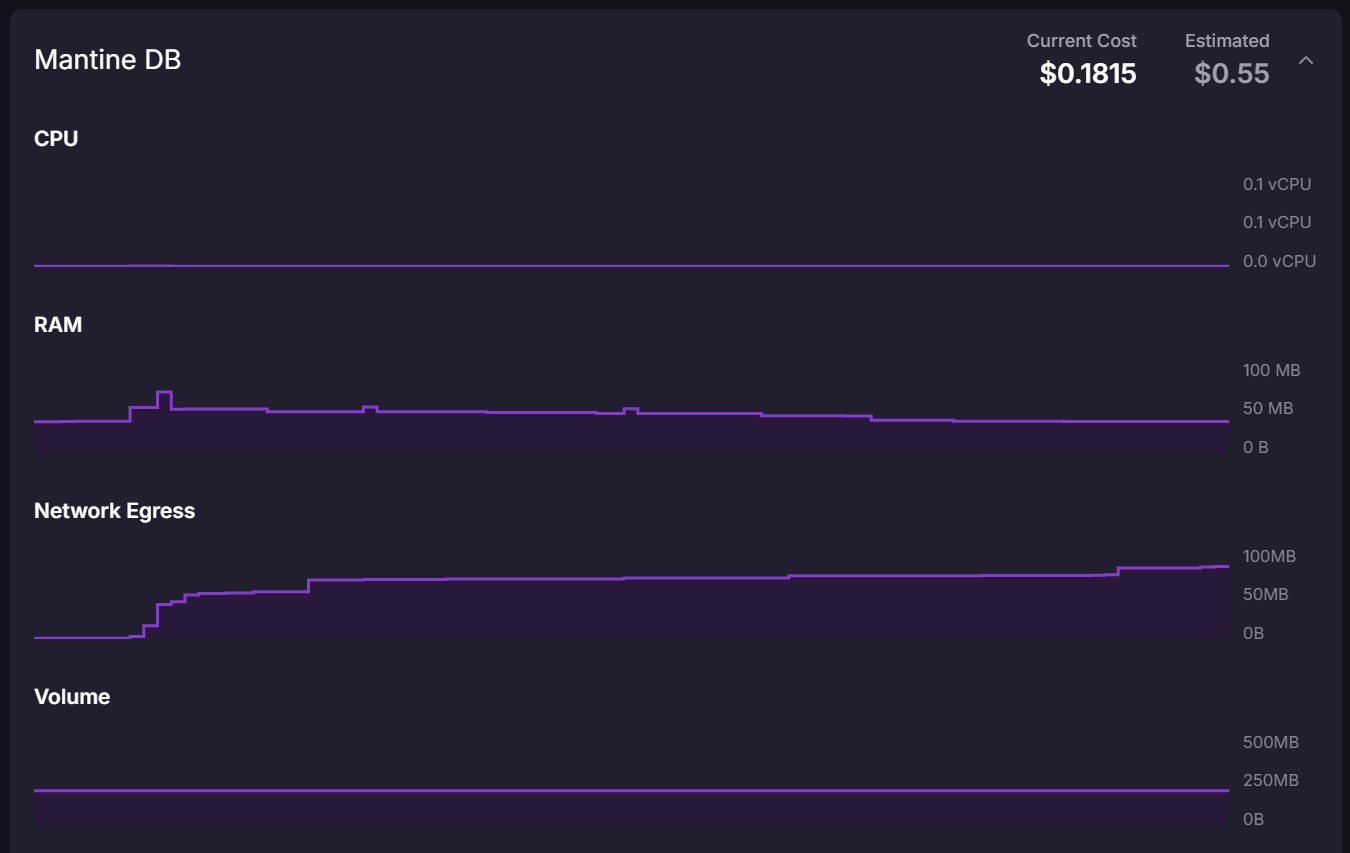
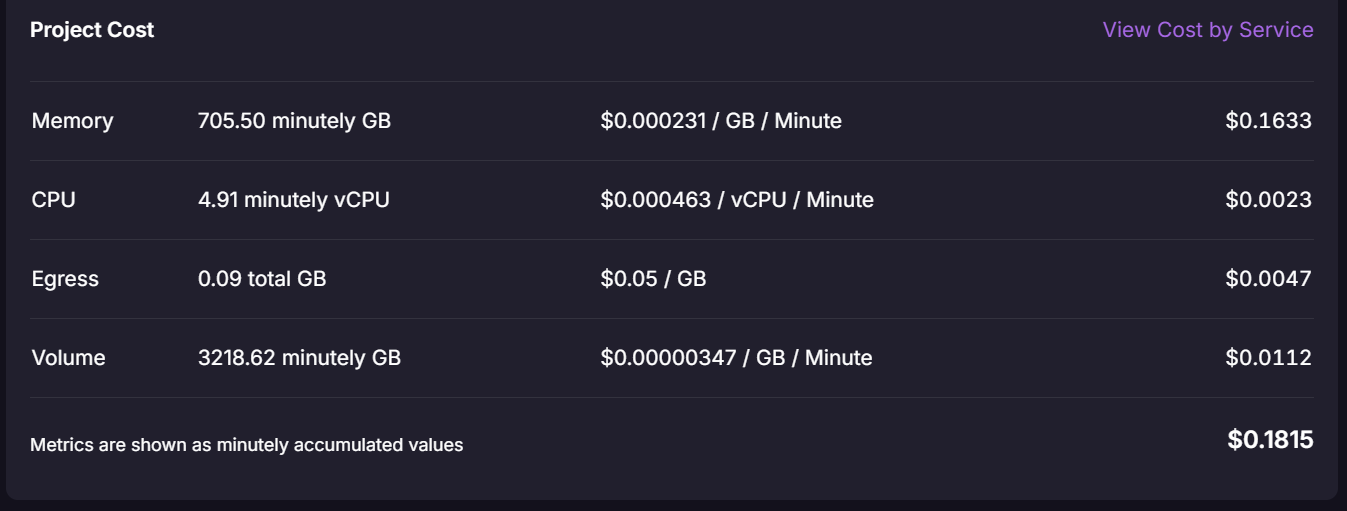
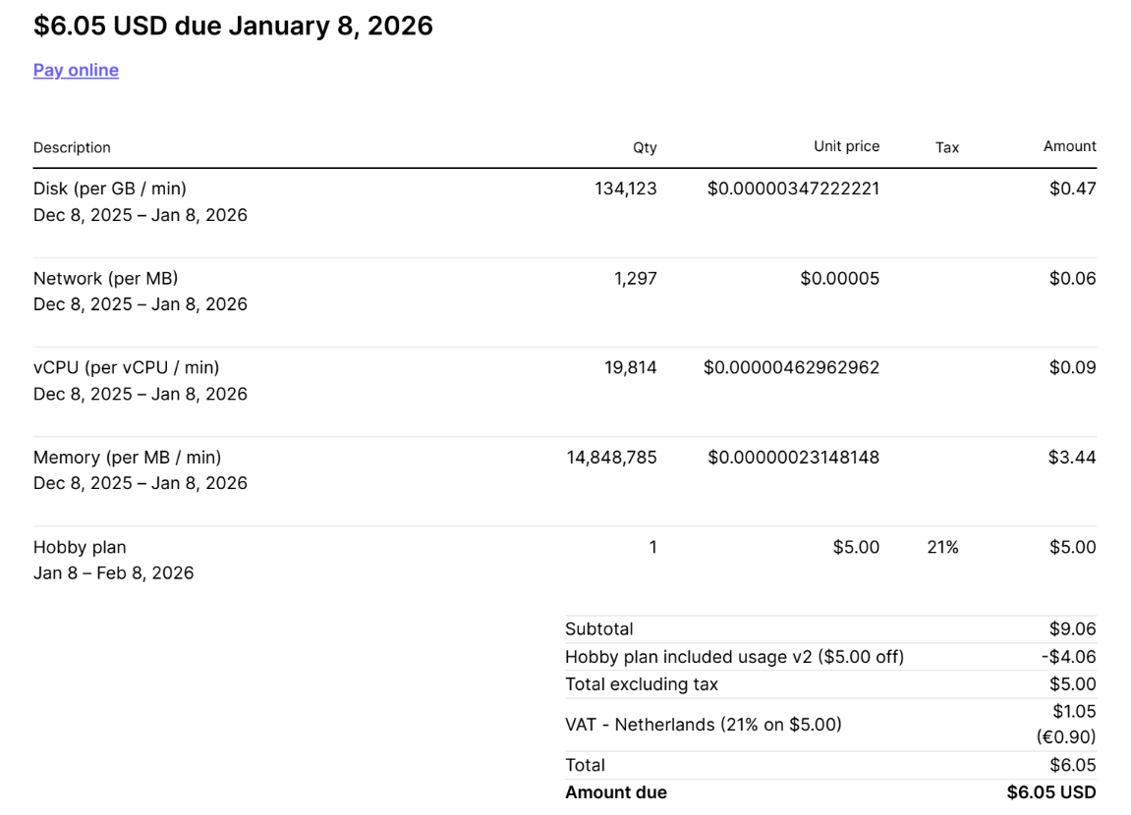
The complete bill matters more than the resource estimate. Railway’s Hobby plan has a $5 monthly minimum with $5 of usage included (still true when I checked in October 2026). In the invoice shown later, the amount due was $6.05 including Dutch VAT. Always check the current plan and pricing rather than treating an old screenshot as a quote.
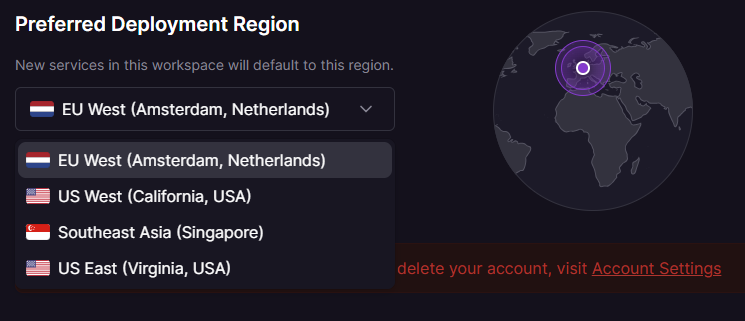
Region placement changed query latency
When the database was farther from the application and its users, latency was noticeable. Moving it to Railway’s Amsterdam region reduced the network distance and made response time more consistent for this European workload.
For another deployment, place the application and database in nearby regions, then measure the real request path. Provider choice cannot compensate for avoidable network distance.
Monitoring and billing are easy to read
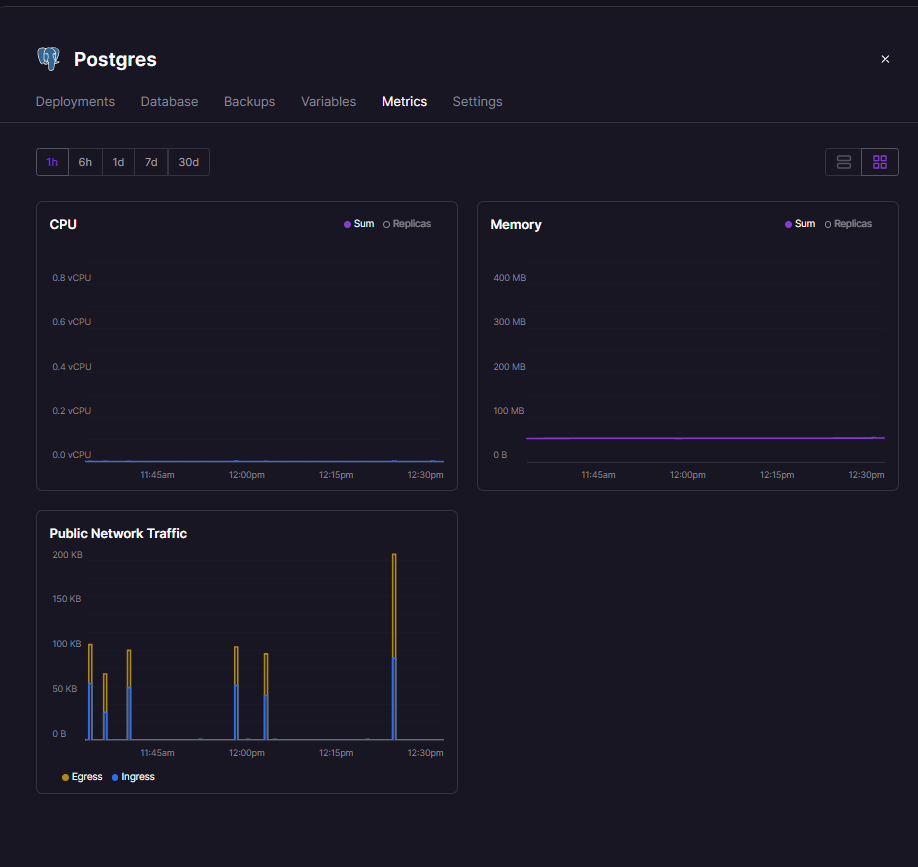
The service view puts CPU, memory, network traffic, storage, connections, and logs in one place. The workspace usage view then connects that activity to an estimated cost. It is enough visibility for this project without assembling several dashboards.
The invoice below is the useful reality check. It separates resource lines, the Hobby plan, included usage, and tax, so the total is not confused with the database-only estimate.
How to repeat this
- In Railway, create a PostgreSQL service in the region closest to your application.
- Expose its
DATABASE_URLto the application service as an environment variable. Do not copy it into code. - In Django:
pip install dj-database-url
import dj_database_url

DATABASES = {
    "default": dj_database_url.config(conn_max_age=600, ssl_require=True)
}
- Deploy, open one page, and check the Postgres metrics tab for connections and memory.
- Wait for the first invoice and compare it with the usage estimate.
What went wrong
Two things surprised me. First, the database started in a region farther from the application and its users, and the latency was noticeable until I moved it to Amsterdam. Second, a database-only estimate of $0.55 said little about the bill: the invoice shown here was $6.05, mostly the plan minimum and VAT.
When I would use this pattern again
This pattern fits a small application that needs managed PostgreSQL, environment-based configuration, SSL, readable metrics, and a short deployment path.
For regulated workloads, strict availability targets, complex private networking, or large database operations, I would compare backup and recovery guarantees, compliance, connection pooling, support, and high availability before choosing a platform.