
Deploying MLflow on Railway
How I deployed a shared MLflow tracking server with PostgreSQL metadata and external artifacts, then connected JobLab tracing, evaluation, feedback, and prompt optimization to it.
Written in March 2026. The monthly cost is a snapshot from then. Corrected in October 2026: the artifact storage variable was wrong (see What went wrong).
I deployed MLflow because local mlflow ui processes and SQLite files could not provide a stable tracking target for several repositories. The Railway deployment (mlflow-tracking-server) runs the tracking server as a container, stores MLflow metadata in PostgreSQL, and sends artifacts to external object storage.
My JobLab agent (joblab-agent-api) uses this server for production request traces, tool spans, evaluation runs, feedback assessments, and prompt-optimization results. The observed deployment was about $20 to $25 per month. That is a snapshot from my services, not a fixed platform price.
Watch the video walkthrough on YouTube
Deploy and verify the tracking server
1. Create the services
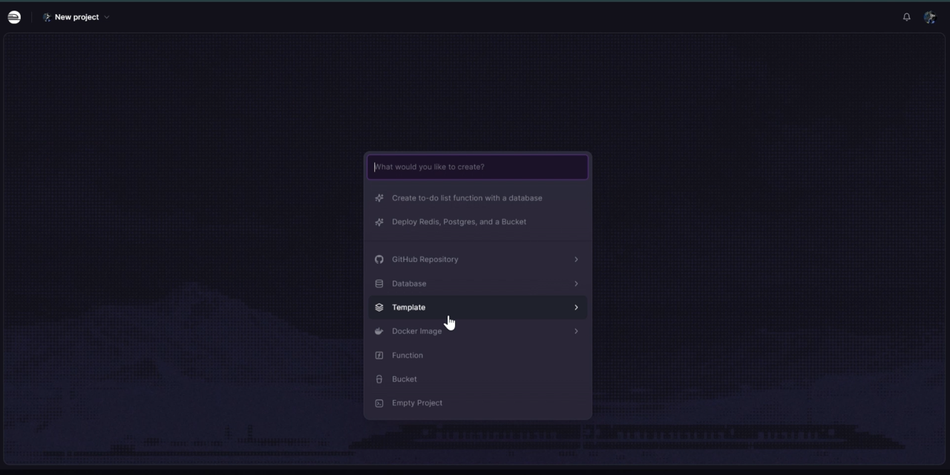
The template creates the MLflow service and its PostgreSQL metadata dependency.
2. Inspect the MLflow container
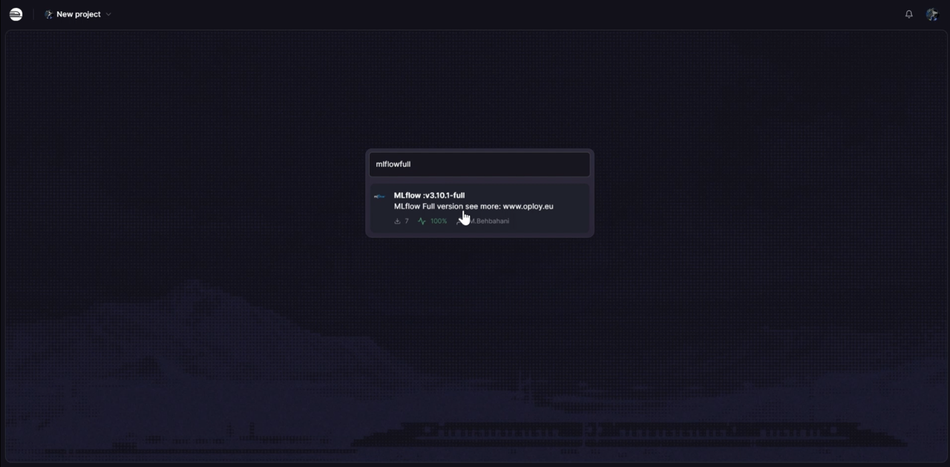
Confirm the tracking process, database variables, public domain, and restart behavior before connecting an application.
3. Configure clients
MLFLOW_TRACKING_URI=https://your-mlflow-url
The JobLab backend reads this value through its settings layer. Evaluation scripts also call mlflow.set_tracking_uri() explicitly so local runs and production requests resolve to the same server.
4. Verify experiment metadata
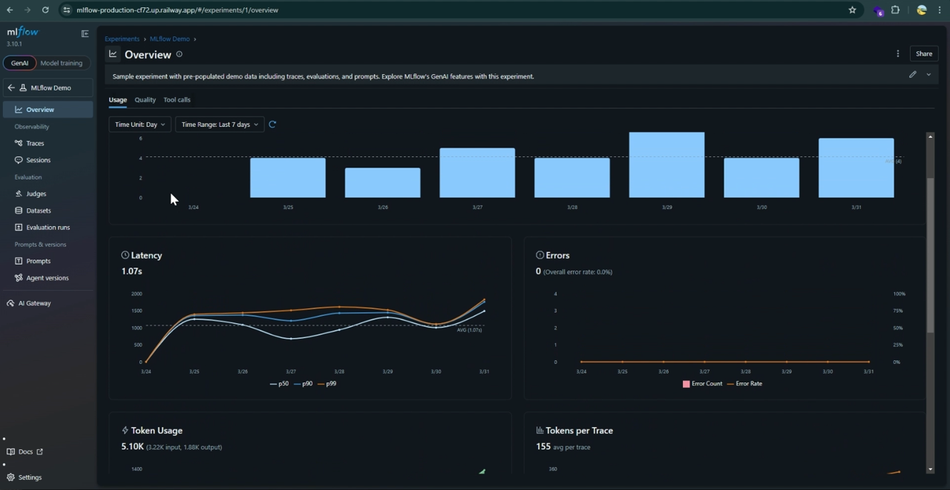
Create a test experiment and run, then confirm parameters, metrics, tags, and artifacts survive a service restart.
5. Verify traces
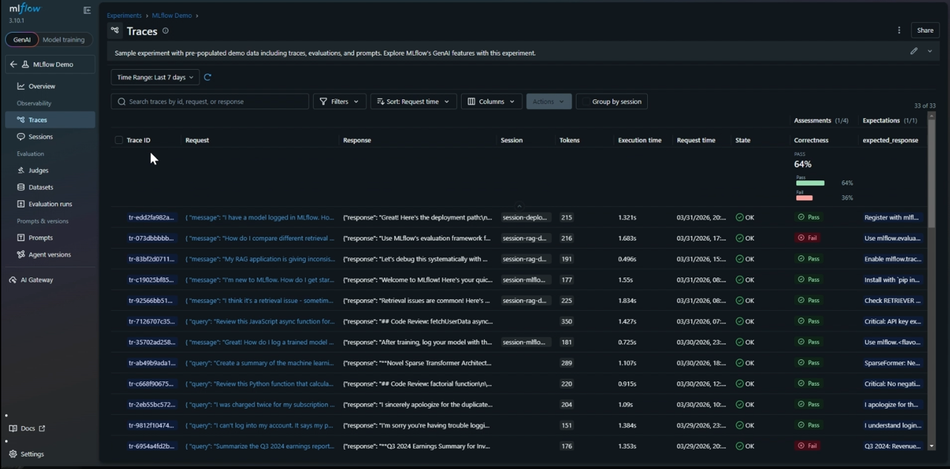
Send one agent request and confirm it creates one root trace with child LLM and tool spans.
6. Inspect span timing
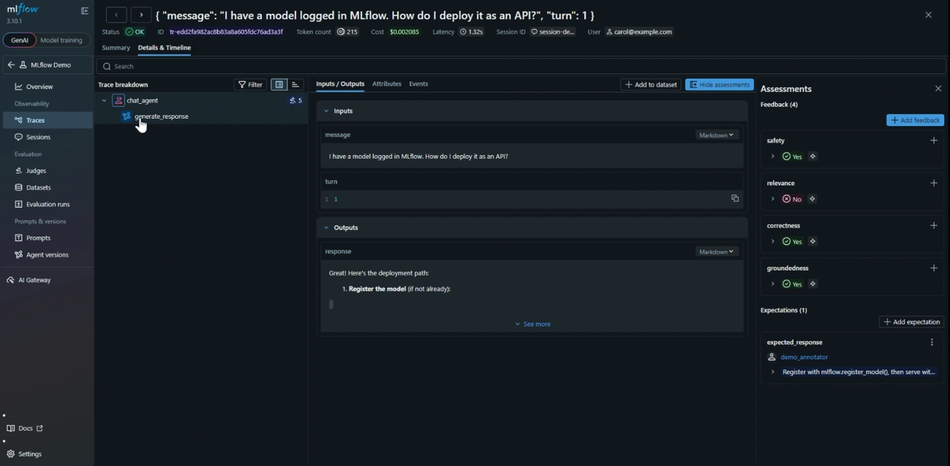
Check tool latency, model latency, retries, and the inputs that produced the response.
Separate metadata from artifacts
The tracking server is stateless enough to restart because PostgreSQL keeps experiment and run metadata. Large files, datasets, and model artifacts belong in object storage. The diagram below shows those responsibilities.
 One server, two external stores: artifacts never live on Railway.
Do not keep durable artifacts only on the Railway container filesystem. The Railway template configures external storage with BACKEND_S3=s3://your-bucket plus scoped AWS_ACCESS_KEY_ID, AWS_SECRET_ACCESS_KEY and AWS_DEFAULT_REGION. Then test artifact upload and download after restarting the MLflow service.
How JobLab uses the shared server
The agent backend creates request-wide traces in app/routers/ai.py. Tool spans are added in app/services/joblab_tools.py, while app/services/mlflow_lite.py provides a REST fallback and S3-backed spool when the full SDK or tracking server is unavailable.
The evaluation pipeline is kept under MLFLOW_STEPS/: step1_create_experiment.py creates the experiment, step2_register_assets.py registers versioned assets, step3_run_evaluation.py runs the baseline and links backend traces, and step4_optimization.py evaluates prompt candidates. Custom scoring logic lives in evals/mlflow_scorers.py.
The target trace shape is one user question, one root agent trace, and nested model and tool spans. Distributed trace context connects evaluation calls to backend execution so the UI can show the whole path instead of unrelated fragments.
 Every repo logs to the same tracking server.
What made this production-useful
Hosting the UI was the easy part. The useful work was persistent metadata, durable artifacts, one-question-one-trace structure, prompt provenance, feedback assessments, distributed context, and a fallback path for tracking outages. Those pieces turned MLflow from a local run viewer into the observability and evaluation layer for the JobLab agent.
How to repeat this
- Deploy the MLflow template on Railway. It creates the MLflow service and its PostgreSQL database. In October 2026 it shipped MLflow 3.10.1.
- Set
BACKEND_S3and the three AWS variables so artifacts go to your own bucket. - Point every client at the server:
export MLFLOW_TRACKING_URI=https://your-mlflow-url
- Log one test run with a small artifact, restart the MLflow service, and check that both are still there.
- For tracing and evaluation, compare with
app/routers/ai.pyandMLFLOW_STEPS/in joblab-agent-api.
The MLflow documentation covers the server options. For a smaller service on the same platform, see how I deployed FastAPI on Railway.
What went wrong
The first version of this note told you to set MLFLOW_ARTIFACT_ROOT. MLflow does not read a variable with that name, and neither does the Railway template. If you followed it, your artifacts may still be on the container filesystem and will disappear on the next redeploy. Use BACKEND_S3 as above, then repeat the restart test in step 4.